








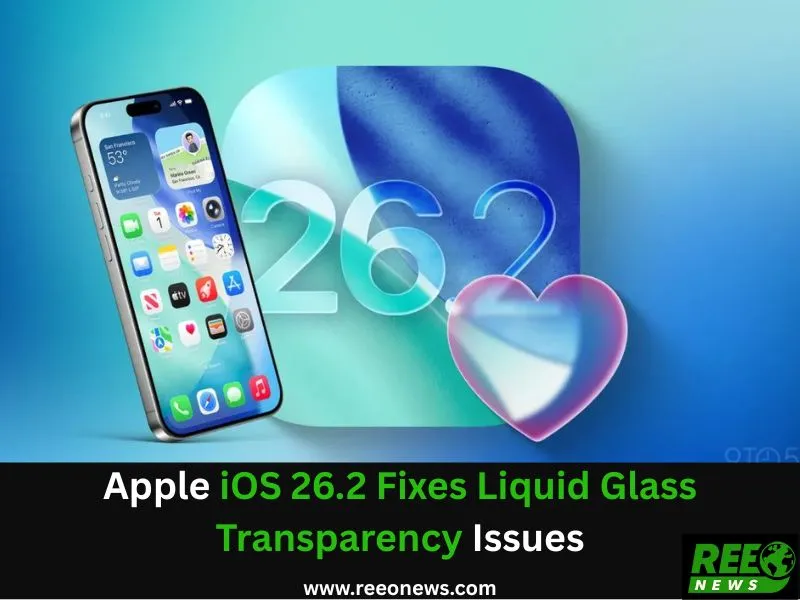
Apple iOS 26.2 Fixes Liquid Glass Transparency and Adds Features
Apple has officially released iOS 26.2, bringing a combination of design fixes, functional enhancements, and critical security updates. This update is particularly focused on addressing the controversial Liquid Glass design, which has faced mixed feedback from users due to readability concerns. Alongside transparency tweaks, iOS 26.2 also introduces new features in apps, AirDrop, and Apple Watch, while strengthening security across devices.
Also Read: Google Translate Live Headphones Real-Time Translation Beta
Liquid Glass Design and Transparency Adjustments
The Liquid Glass design, introduced with iOS 26, aimed to create a modern, glass-like interface with semi-transparent buttons, notifications, and interface elements. The concept was intended to mimic optical glass and potentially prepare for future AI smart glasses integration. However, many users found the design challenging to read, especially on Lock Screens and system menus.
With iOS 26.2, Apple has introduced a new opacity control for the Lock Screen clock, allowing users to adjust the transparency to their preference. This follows an earlier update that added system-wide opacity sliders, giving users more control over the semi-transparent elements of the interface. The update highlights Apple’s responsiveness to user feedback, ensuring a more readable and user-friendly experience.
Changes in Apple’s Design Team
The Liquid Glass overhaul was initially led by Alan Dye, who recently left Apple to join Meta. He has been replaced by Stephen Lemay, a veteran designer with extensive experience in interaction design. Lemay’s appointment indicates Apple’s focus on refining user experience, improving usability, and addressing complaints without overhauling the design philosophy entirely.
Key Functional Updates in iOS 26.2
Beyond design tweaks, iOS 26.2 brings several functional improvements across Apple devices:
AirDrop Enhancements
AirDrop in iOS 26.2 now allows users to generate sharing codes to share files with non-contacts. These non-contacts gain a “known” status for 30 days, making the feature ideal for temporary collaborations in workplaces or group projects. This functionality simplifies secure file sharing while maintaining user privacy.
Also Read: Oppo Reno 15 Pro vs Oppo Reno 14 Pro: What to Know Before You Choose
App Updates
Reminders: The app now supports alarms, allowing users to receive time-sensitive notifications for tasks and events.
Apple News: A new “Following” tab helps users track favorite channels, writers, or topics more easily.
Apple Music: Users can enjoy offline lyrics, enhancing the music experience even without an internet connection.
Podcasts: Introduces AI-generated chapters and show linking, providing more organized content consumption and easier navigation between episodes.
Health and Sleep Tracking
Apple Watch users gain a new Sleep Score feature, which evaluates sleep quality and progress toward personalized sleep goals. This addition strengthens Apple’s position in wearable health technology and offers users actionable insights to improve rest and overall well-being.
Critical Security Updates
iOS 26.2 includes important security updates for iPhone, iPad, Mac, and Apple Watch. These updates patch vulnerabilities currently exploited in active hacking campaigns. Apple strongly recommends that all users install the update promptly to protect their devices and data.
Why iOS 26.2 Matters
The update demonstrates Apple’s dual focus: addressing design complaints while enhancing device functionality and security. By giving users control over transparency, Apple improves usability for everyday tasks. Simultaneously, the new app features and security patches make iOS 26.2 an essential update for both casual users and professionals.
Also Read: Instagram New Your Algorithm Tool Gives Users Control
The combination of design, productivity, and security improvements highlights Apple’s commitment to balancing innovative aesthetics with practical usability, ensuring the devices remain both visually appealing and functional.
Conclusion
With iOS 26.2, Apple takes a significant step in refining the Liquid Glass design by adding transparency controls, ensuring better readability across devices. Users also benefit from enhanced AirDrop sharing, updated apps, health tracking, and critical security patches. This update underscores Apple’s responsiveness to feedback and commitment to providing a safe, user-friendly, and feature-rich ecosystem.
Updating to iOS 26.2 is highly recommended to enjoy these enhancements and safeguard devices against active security threats.